
Feather Client old version download status
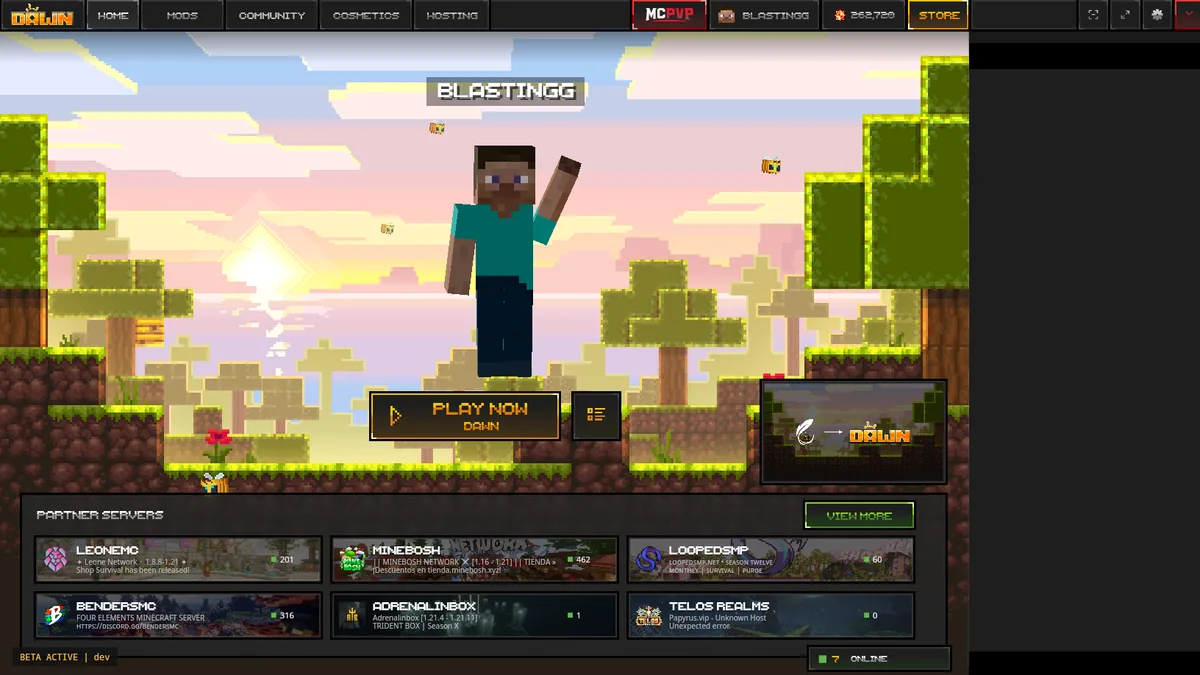
During the August 1, 2026 first-party check, feathermc.com announced the move to Dawn and sent consumer downloads to dawn.gg. We did not find a public old-version archive with legacy Feather desktop installers, version history, hashes, and support context.
That does not prove every old file has vanished from the internet. It means this guide cannot verify a safe official archive and will not link third-party executables as if they were first-party releases. Use the current launcher and create an older Minecraft profile when that satisfies your actual goal.
Old launcher versus old Minecraft profile
Most players need one of these, not both.
| Goal | Safer approach | Riskier shortcut |
|---|---|---|
| Play Minecraft 1.8.9 | Use a current launcher profile when offered | Run an old Feather executable from a mirror |
| Use an old mod | Find a release from the mod author's project and isolate it | Download a complete unknown profile ZIP |
| Recover settings | Restore your own backup selectively | Import account or token files from someone else |
| See the old interface | Use archived screenshots or videos | Install unsupported software only for nostalgia |
Why old Feather downloads are difficult to verify
A reliable archive needs more than a filename. It should identify the publisher, exact version, release date, supported platform, cryptographic hash, release notes, and intended authentication flow. A random file host or repository rarely provides that complete chain.
Old launchers can also depend on services that changed after release. Even an authentic historical binary may fail with modern Microsoft authentication, expired endpoints, outdated certificates, or unsupported Java runtimes. Authentic does not automatically mean functional or safe for daily use.
- Check first-party ownership and release history.
- Require a specific version and date, not 'latest old version.'
- Compare a published hash when the publisher provides one.
- Run unsupported software only in an isolated, backed-up environment if you have a legitimate research reason.
Recreate a legacy Minecraft setup with the current launcher
If your real goal is Feather Client 1.8.9, start by checking whether Dawn offers a 1.8.9 profile. A current application managing an older game profile keeps authentication and launcher updates separate from the legacy gameplay version.
Create the profile, launch it cleanly, and add only mods built for that exact environment. Preserve your own keybinds and settings as a documented backup. Do not copy a modern Fabric mod into 1.8.9 or assume every old Feather feature exists in Dawn.
Identify the actual requirement
Game version, mod, server, interface, or performance behavior.
Check the current profile list
Use Dawn's live options instead of a mirror filename.
Launch the legacy game profile cleanly
Verify base game and authentication first.
Add period-compatible mods selectively
Use recognized project archives and keep backups.
Warning signs in cracked and archive downloads
Avoid pages that promise Feather Client cracked, all cosmetics free, no premium login, account bypass, or a password-protected archive. These offers combine high-demand brand keywords with files that are difficult to inspect and may seek browser notifications, extensions, credentials, or security exclusions.
A repository with recent commits and many copied releases can still be impersonation. Look for links from the official product domain to the repository, verifiable maintainers, signed releases, and consistent history. Do not trust stars, screenshots, or a familiar logo alone.
Back up and isolate legitimate legacy data
Your own world saves, screenshots, server lists, resource packs, and configuration files are different from executable archives. Back them up before migration. Scan archives and inspect their contents before restoring only the data you recognize.
Use separate profile directories for experiments. Never reuse a copied account token, session file, or launcher database. If an old profile contains unknown JARs, scripts, native libraries, or executables, remove them and reinstall required mods from their legitimate project sources.
Evaluate a Feather Client old version download claim
Before trusting a Feather Client old version download claim, ask for evidence that connects the file to the original publisher. A useful archive entry identifies the exact application version, release date, operating system, original filename, file size, cryptographic hash, release notes, and the first-party page or repository that published it. Without that chain, a mirror can only prove that it hosts a file with a familiar name.
Check whether the historical build still depends on retired authentication or update services. An unchanged hash can support file integrity, but it cannot make an obsolete login flow functional or restore removed online services. Run legitimate preservation research in an isolated environment without personal account tokens, valuable worlds, or reused passwords.
If your purpose is gameplay rather than software preservation, prefer a current launcher with an older Minecraft profile when available. Reinstall compatible mods from their recognized release archives and recreate settings from your own backups. That approach preserves the requested game behavior while reducing exposure to an unsupported launcher binary.
Treat every old version download page as an evidence claim. The download label, archive filename, and page design do not establish ownership. A verifiable Feather Client old version download needs the publisher link and checksum evidence described above; otherwise the safer response is to recreate the old Minecraft profile with current account handling.
- Exact launcher version, date, platform, and original filename.
- Publisher-controlled release page or repository history.
- Published checksum that matches the downloaded file.
- Release notes and known authentication or service limitations.
- An isolated test plan with no personal session or account data.
Feather Client old version FAQ
Answers for archive and legacy profile searches.
Where can I download an old Feather Client version?
We did not find a first-party public archive in the current Feather flow, so this site does not recommend mirror executables.
How do I download old Feather Client in 2026?
Use the current Dawn launcher when possible and create the older Minecraft profile you need. An old launcher binary is a separate unsupported request.
Is Feather Client archive download safe?
Only when the publisher provides a verifiable archive with version, date, hash, and release context. A third-party filename alone is not enough.
Can I get Feather Client 1.8.9 without an old launcher?
If the current launcher offers a 1.8.9 profile, use that. The game profile and launcher application are separate layers.
What is Feather Remake?
Community projects using that name are separate from the first-party Feather-to-Dawn migration. Evaluate each project's ownership, code, releases, and compatibility independently.